FEATURES · D64 HUNTER, BUILT INTO RETRO COMMANDER
1.25 million disk images.
One search away.
The D64 Hunter library holds about 1.25 million C64 disk, tape and cartridge images - games, demos, tools and music, with every known version of a release. Retro Commander searches all of it for you, and what you find is ready to use straight away: in a pane, in a folder, or running on your C64U.
THE LIBRARY
The whole C64 scene, searchable
Finding the right image of a C64 title usually means a web search, a download, unpacking a zip, guessing which of five versions is the good one, and copying it to where your emulator or Ultimate can reach it. With D64 Hunter in Retro Commander, that is one window: type a title, and the library's 1.25 million images answer, sorted into releases, with the best version on top - ready to look at, save, or run.
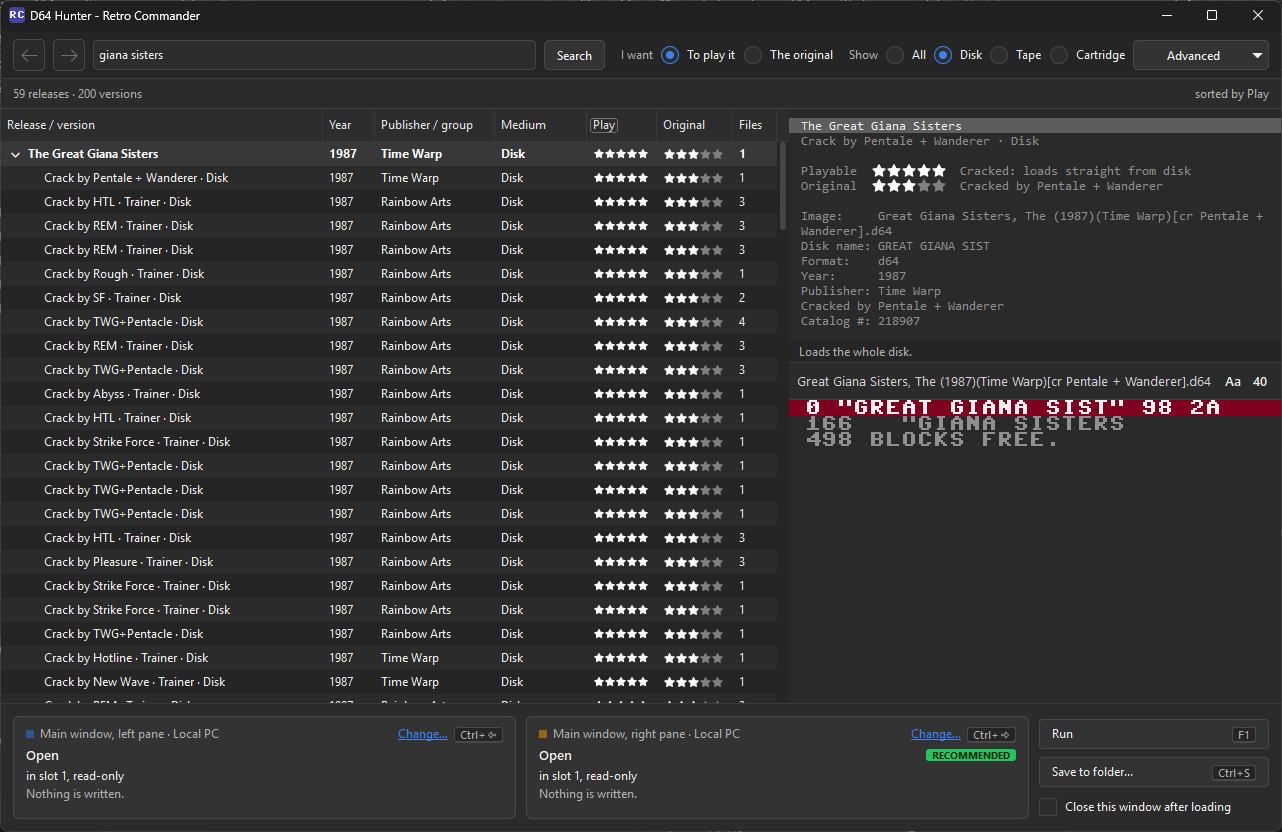
- Grouped by release: cracks, fixes, trainers and different media underneath. The best match sits at the top and opens by itself.
- Two scores, one choice: Play tells how ready a version is to just play, Original how close it is to the release as it first came out. Tell the window To play it or The original, and it ranks on that score and loads accordingly.
- Look before you take: a version's directory shows in real PETSCII with the release's details, before anything lands on your PC.
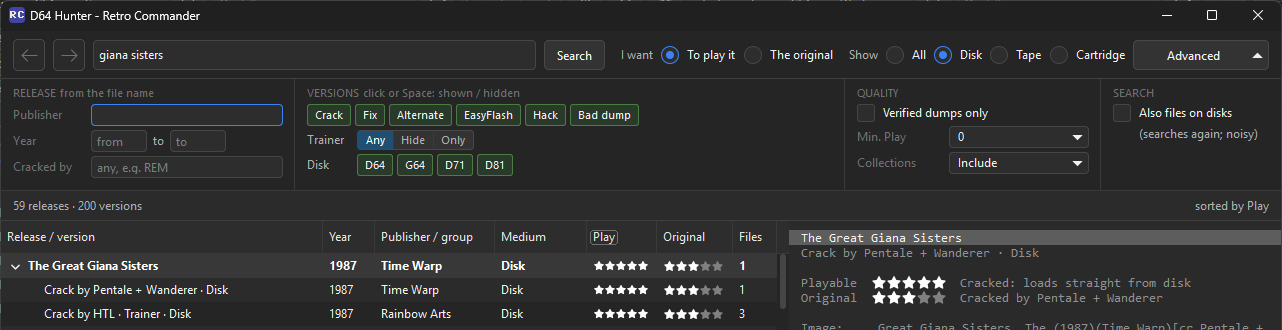
- Filters when you need them: disk, tape or cartridge, publisher, year, cracked by, collections, trainers, hacks and bad dumps. Your filters and last ten searches are remembered.
HOW IT WORKS
Search, pick, load
- 1. Open it. Ctrl+Shift+H or the D64 Hunter button in the toolbar. It is a window of its own, so your two panes stay as they are and you can keep it open beside them.
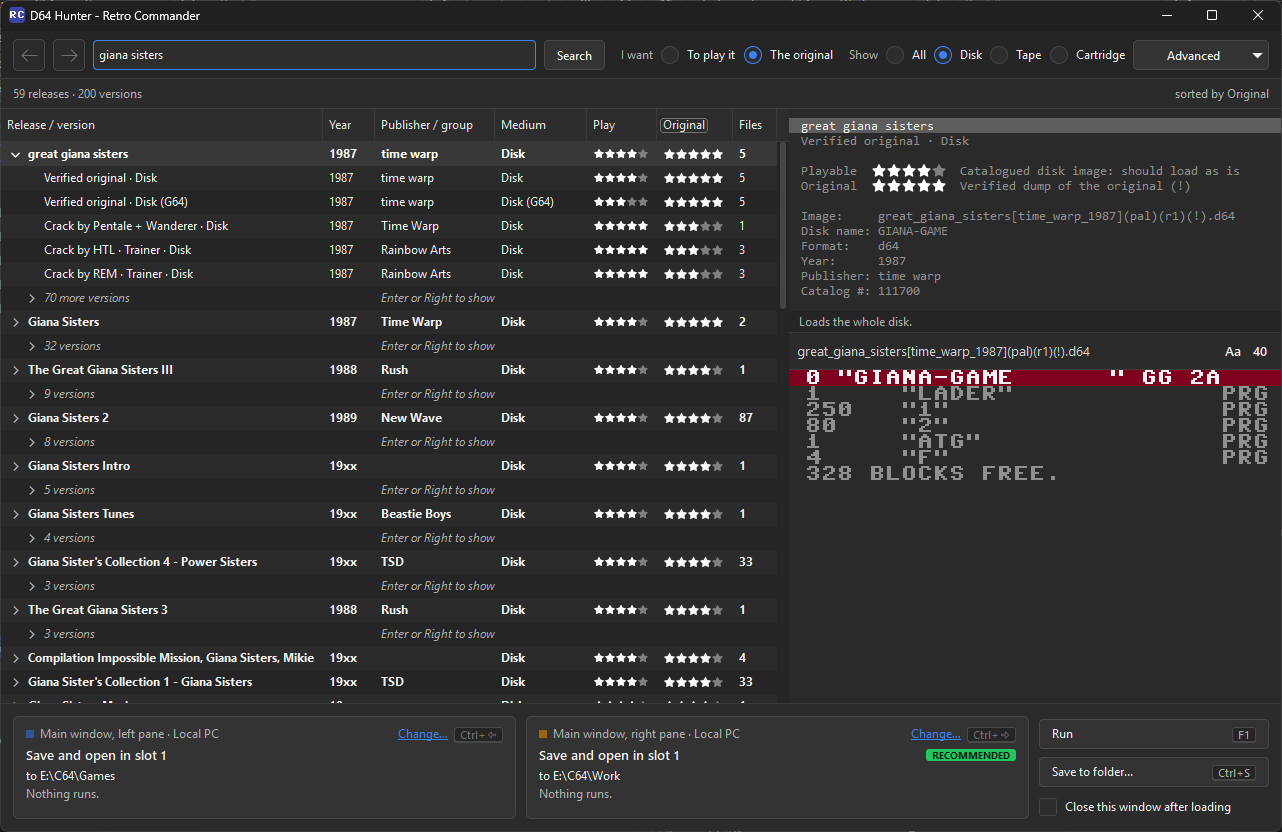
- 2. Say what you want. To play it or The original. That choice ranks the versions and decides what loading does.
- 3. Search and pick. Type a title and press Enter. The arrow keys walk through releases and versions, and the directory follows. Pick the whole disk, or one file on it.
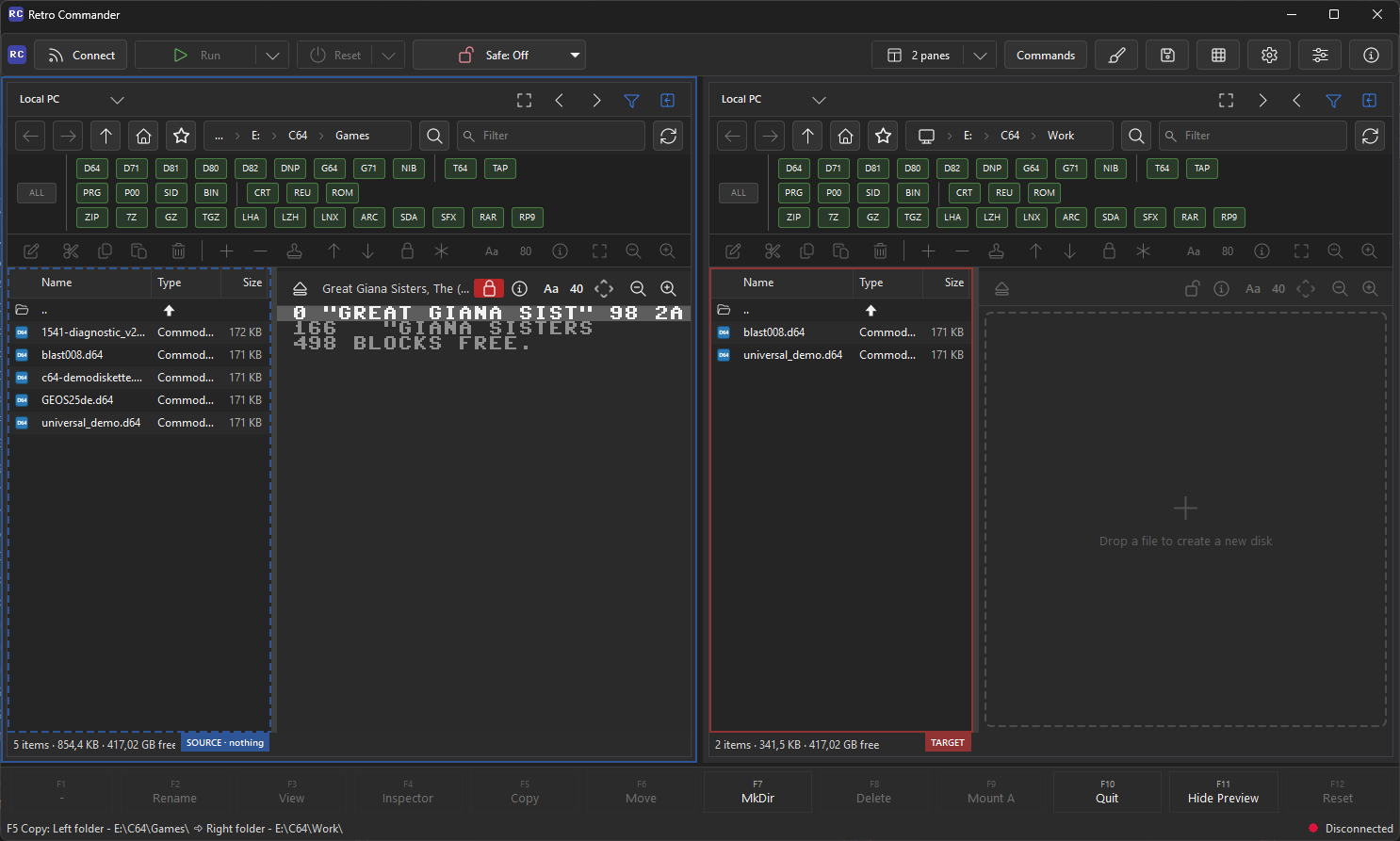
- 4. Load. The load bar has a card for each of your two panes, saying exactly what that pane will do, and one is recommended. Enter takes the recommendation; Ctrl+Left or Ctrl+Right loads into the left or right pane.
What each pane does
| The pane shows | To play it | The original | One file picked |
|---|---|---|---|
| a folder on your PC | opens the disk in the pane's slot 1, read-only; nothing is written | saves the disk in the folder and opens that copy in slot 1 | extracts just that file into the folder |
| your C64 Ultimate | resets the C64U, mounts the disk on drive A and runs it | uploads the disk into the pane's folder on the device | runs that program on the C64U, as F1 does |
- Nothing is overwritten. Before it writes, Retro Commander checks the folder: a copy that is already there is used as it is, and a taken name gets a number.
- Tapes and cartridges too. A tape goes to a folder or onto the device; a cartridge runs on the C64U after a reset.
- Wrong pane? Ctrl+Shift+Left or Right brings the main window up on that pane so you can pick another folder; the cards follow.
- Read-only means safe. A disk opened straight from D64 Hunter cannot be changed by accident. Copy a file out of it, or save the disk, to work on it.
Narrow it down
Keys
| Enter | search, then load the recommended card |
| Ctrl+Left / Right | load into the left or right pane |
| F1 | run it, as F1 does everywhere in Retro Commander |
| Ctrl+S | save the disk, or the picked file, to a folder you choose |
| Alt+Down | your last ten searches |
| Alt+A | advanced search: the filters |
| Alt+C | close the window after loading, or keep it open |
| Alt+Left / Right | back and forward through what you looked at |
| Esc | one step back: stops a search or a download, drops the picked file, then closes |
MORE FEATURES
Three sides of Retro Commander
FEATURES
File & disk management →
Disk images as folders, the DirArt editor, picture viewers, archives and the keyboard-first dual pane. No hardware needed.
FEATURES
C64 Ultimate →
Find the device, edit its disks, launch on real hardware, keep configuration snapshots and back the whole device up.
YOU ARE HERE
D64 Hunter
Search a library of about 1.25 million C64 disk, tape and cartridge images, and open, mount or run what you find in one step. Sharing is caring.
What you need
- Retro Commander on Windows 10 or 11, and an internet connection.
- Disk sharing switched on, as above.
- No account for the first 14 days. After that, sign in with a free Retro Commander account to keep searching. It costs nothing.
- A C64 Ultimate is optional. Without one you search, look and save to your PC. With a C64 Ultimate, Ultimate 64 or Ultimate-II+ on your network you also mount and run in one step. C64 Ultimate features →
D64 Hunter allows a fair number of searches a minute and a day. If you reach a limit, the window says how long to wait instead of failing silently.
Questions
Is D64 Hunter in Retro Commander free?
Yes. You search for 14 days without an account; after that you sign in with a free Retro Commander account and keep searching.
Why do I have to share disks to search?
D64 Hunter is for people who give as well as take. With disk sharing on, the unedited disk images you open, mount or run are checked against the catalogue, and only the ones it does not know yet are sent. That is how the catalogue grows.
Does sharing send the disks I have edited?
No. Only disks you open, mount or run unchanged are considered. A disk you have written to, renamed files on or otherwise edited is never shared.
Do I need a C64 Ultimate to use it?
No. You can open what you find in a pane, save it to a folder on your PC, or take one file off it. With a C64 Ultimate, Ultimate 64 or Ultimate-II+ connected you can also mount it and run it, or put it on the device's storage.
Can I take just one file off a disk?
Yes. Pick the file in the disk's directory: on a PC pane loading extracts only that file, and on a C64U pane it runs that program. Esc goes back to the whole disk.
Can I switch sharing off again?
Yes, at any time, with one switch in Settings > Account. Searching D64 Hunter stops with it; everything else in Retro Commander keeps working.
D64 Hunter is its own catalogue, run by its own people; Retro Commander searches it for you and loads what you pick. Found a problem with a search or a load? Tell me.
Start hunting
D64 Hunter comes with Retro Commander, a native Windows app of a few megabytes.